Browser Extension
Track activity from any web-based agent tool — ChatGPT, Claude, Gemini, Lovable, Instantly, Claw, and more — without an API.
Where do I get a pairing code?
The pairing code is generated inside your agentwach account — not in the extension itself.
- Log in and open Onboarding (or Dashboard → Connect extension).
- Click Generate pairing code — a 6-character code appears (valid for 5 minutes, single-use).
- Open the extension popup (v1.0.4), paste the code, and the popup flips to "Paired".
No account yet? Create one free — pairing codes are tied to your workspace, which is why they aren't shown publicly.
Pairing walkthrough (v1.0.4)
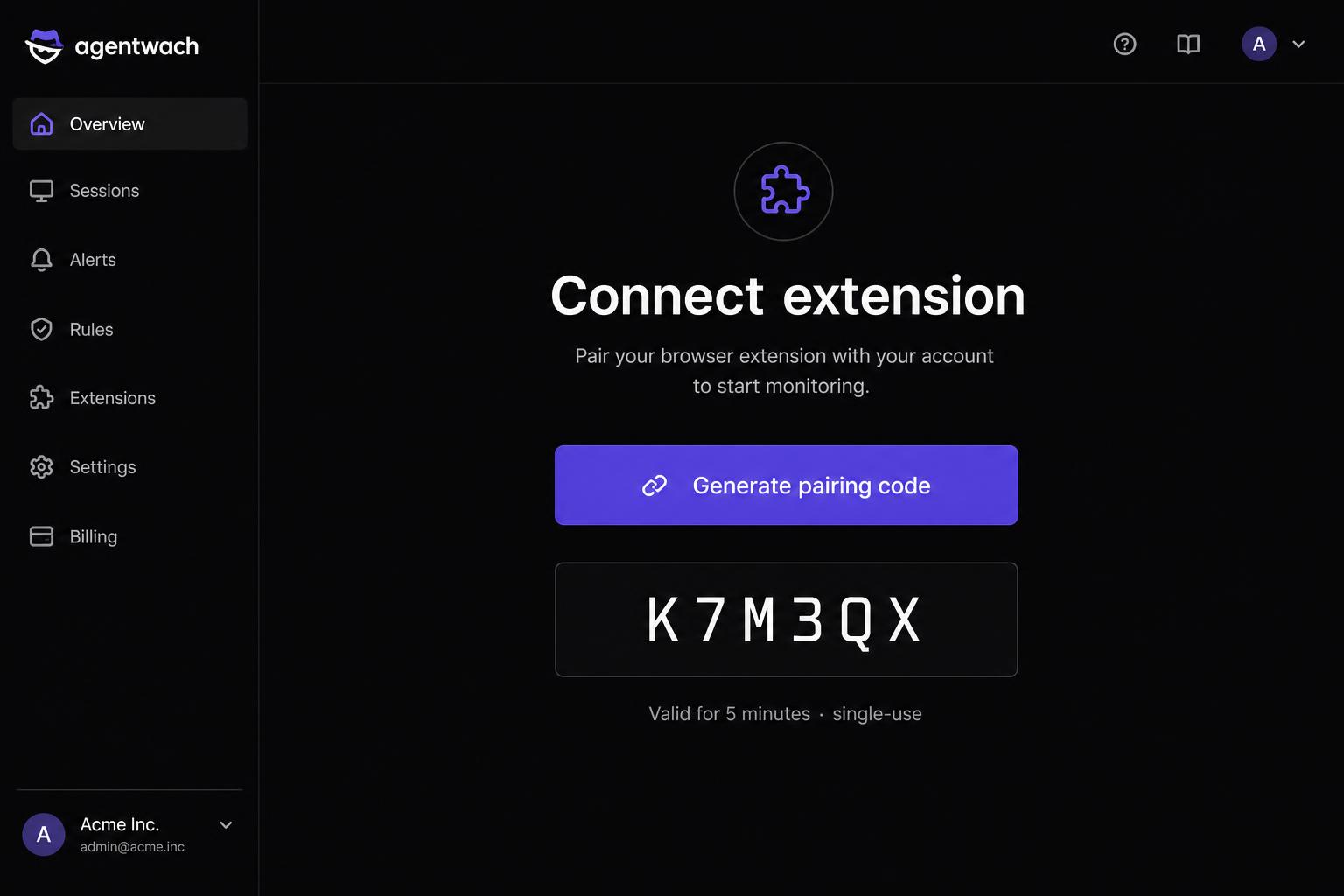
In your agentwach dashboard, open Onboarding → Connect extension and click Generate pairing code.
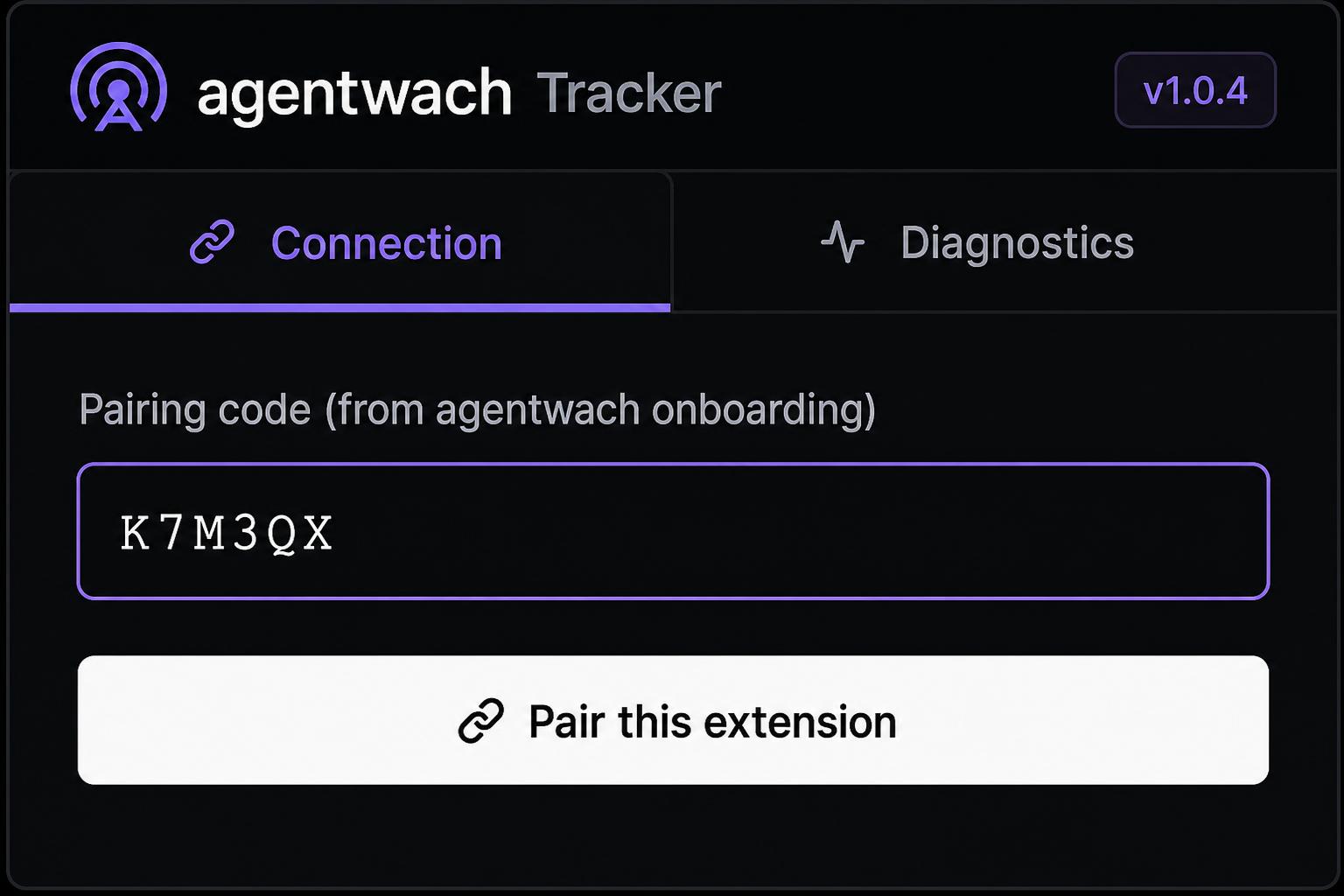
Open the extension popup (v1.0.5), stay on the Connection tab, paste the 6-character code, and hit Pair this extension.
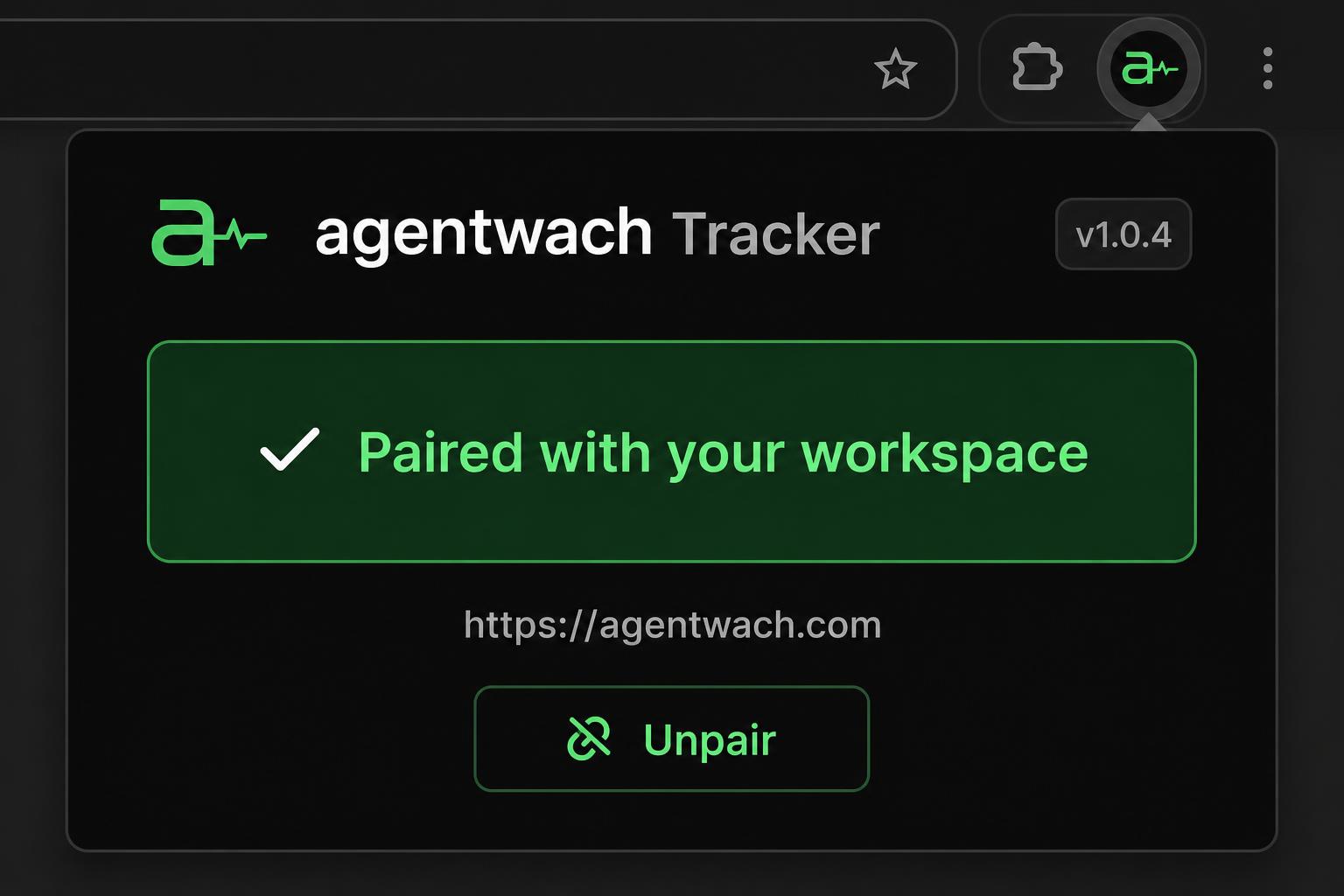
The popup flips to a green “Paired with your workspace” state. Activity from ChatGPT, Claude, Gemini, Lovable and other tabs starts flowing in.
Code expired? Just click Generate pairing code again — codes are single-use and valid for 5 minutes.
Pairing failed?
If the extension says "Invalid code" or the pairing button does nothing, follow these steps:
- Make sure you are on extension version v1.0.4 or newer. Older versions do not support pairing codes.
- Check that the 6-character code is still valid — codes expire after 5 minutes and can only be used once.
- Regenerate a fresh code in your agentwach dashboard: go to Onboarding → Connect extension, then click Generate pairing code again.
- Copy the new code immediately and paste it into the extension popup before it expires.
- If the popup still shows "Not paired", close and reopen the popup, then paste the code again.
- Still stuck? Sign out of the extension, refresh the page, sign back in, and generate a new code.
Install — Chromium
- Unzip the downloaded file.
- Open
chrome://extensions(Edge:edge://extensions). - Enable Developer mode in the top-right.
- Click Load unpacked and select the unzipped folder.
- Click the agentwach icon and paste the pairing code from your dashboard (see above).
Tradeoffs: only tracks activity while a browser tab is open, and breaks if the tool changes its HTML. Token counts are estimated from text length (≈ chars ÷ 4).